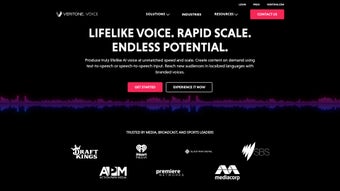

Download Veritone Voice – Advanced AI Voice Generation Tool for Enterprises
Overview
Veritone Voice is a sophisticated, web‑based AI voice generation platform that empowers businesses, content creators, and developers to produce lifelike synthetic speech at scale. Built on cutting‑edge deep‑learning models, the solution supports both text‑to‑speech (TTS) and speech‑to‑speech (STS) workflows, making it possible to transform raw audio, dub videos, or create entirely new voice‑overs without ever stepping into a recording studio. One of its standout capabilities is the creation of custom voice models, which can clone existing voices—including those of celebrities or public figures—provided that proper consent is secured.
With a library of over 150 languages, regional accents, intonations, and dialects, Veritone Voice ensures that your audio content resonates with a truly global audience. The platform also integrates seamlessly into existing enterprise workflows via RESTful APIs, allowing automation of repetitive voice tasks, reduction of production costs, and acceleration of time‑to‑market for audio‑centric products. Whether you need a multilingual IVR system, an engaging podcast intro, or dynamic narration for e‑learning modules, Veritone Voice delivers a secure, scalable, and highly customizable solution that brings the future of synthetic speech to today’s business challenges.
Key Features & Benefits
- Multi‑modal generation: supports both text‑to‑speech and speech‑to‑speech conversions.
- Custom voice cloning: create unique voice models from provided audio samples with consent.
- 150+ language library: includes regional accents, dialects, and adjustable intonation.
- Enterprise‑grade API: RESTful endpoints for easy integration into CI/CD pipelines, CRMs, and media platforms.
- Real‑time rendering: low‑latency synthesis suitable for live applications such as virtual assistants.
- Secure data handling: end‑to‑end encryption, GDPR compliance, and role‑based access controls.
- Scalable cloud infrastructure: auto‑scaling compute resources to handle spikes in demand.
- Cost‑effective pricing: pay‑as‑you‑go model with volume discounts for high‑throughput users.
- Analytics dashboard: monitor usage, voice quality metrics, and cost per minute in real time.
- Collaboration tools: shared voice libraries and version control for team‑based projects.
Pros
- Highly realistic synthetic voices that pass casual human listening tests.
- Extensive language and accent coverage, perfect for global brands.
- Robust API documentation and SDKs for multiple programming languages.
- Built‑in compliance features simplify legal vetting for voice cloning.
- Scalable cloud backend eliminates the need for on‑prem hardware.
Cons
- Web‑only interface may feel limiting for users who prefer desktop applications.
- Custom voice model training requires a minimum amount of high‑quality audio samples.
- Advanced features (e.g., real‑time streaming) are gated behind higher‑tier plans.
- Learning curve for API integration if your team lacks prior experience with RESTful services.
- Pricing can become significant for extremely high‑volume deployments without negotiated discounts.
Overall Verdict: Veritone Voice offers an unmatched blend of realism, language diversity, and enterprise‑grade security, making it a top choice for organizations seeking to automate voice production at scale.
Installation, Usage & Compatibility
Since Veritone Voice is a cloud‑native SaaS platform, there is no traditional software installation required. Users simply create an account on the Veritone portal, verify their email, and are granted immediate access to the dashboard. For developers, the onboarding process involves generating an API key from the “Developer Console,” which can then be stored securely in environment variables (e.g., VERITONE_API_KEY) on Windows, macOS, Linux, or within CI/CD pipelines.
Step‑by‑Step Quick Start
- Sign up: Visit Veritone Voice and click “Get Started.” Choose a free trial or a paid plan.
- Verify & configure: Confirm your email, then navigate to “Account Settings” → “API Keys.” Click “Create New Key” and copy the token.
- Install SDK (optional): For Python, run
pip install veritone-voice-sdk. For Node.js, usenpm install veritone-voice-sdk. - Run a test request: Use the provided sample script to synthesize “Hello, world” in English. Adjust parameters such as
voice_id,language, andspeedas needed. - Integrate: Embed the API calls into your application, CRM, or content management system. Use webhooks for real‑time status updates.
Supported Operating Systems: Because the service is accessed via HTTPS, it works on any modern operating system—Windows 10/11, macOS 12+, Linux distributions, Android, and iOS. The optional SDKs are compatible with Python 3.7+, Node 12+, and Java 8+. Mobile developers can call the REST endpoints directly from Swift or Kotlin without additional libraries.
For enterprise deployments that require on‑prem connectivity, Veritone offers a private‑cloud gateway that can be installed on Windows Server or Linux containers, ensuring low‑latency access while keeping data within the corporate firewall. Detailed deployment guides are available in the documentation portal, complete with Docker Compose files and Kubernetes Helm charts.
FAQ & Conclusion
Frequently Asked Questions
-
Can I clone a celebrity voice without legal issues?
Voice cloning is only permitted when you have explicit, documented consent from the voice owner. Veritone Voice includes consent‑management tools to store and audit permission records, helping you stay compliant with copyright and privacy laws.
-
What is the latency for real‑time speech synthesis?
Standard TTS requests typically return within 300‑500 ms for most languages. Premium “low‑latency” endpoints, available on higher‑tier plans, can deliver results in under 150 ms, suitable for live broadcasting or interactive voice assistants.
-
How many languages does Veritone Voice support?
The platform currently offers more than 150 languages, including major regional dialects such as British English, Australian English, US Southern, Mandarin (Simplified/Traditional), Hindi, Swahili, and many more.
-
Is there a free tier for testing?
Yes, Veritone Voice provides a 7‑day free trial with 500,000 characters of synthesis and access to the core API. No credit card is required, making it easy to evaluate the quality before committing.
-
How does pricing work for high‑volume users?
Pricing follows a pay‑as‑you‑go model, billed per million characters. Volume discounts start at 100 M characters per month, and enterprise agreements can include flat‑rate pricing, dedicated support, and SLA guarantees.
Conclusion & Call to Action
Veritone Voice stands out as a premier AI voice generation solution that blends linguistic breadth, realistic synthesis, and enterprise‑grade security into a single, easy‑to‑access platform. Whether you are a marketer looking to localize video ads, an e‑learning provider needing multilingual narration, or a developer building voice‑enabled applications, the tool delivers the flexibility and reliability required for modern audio workflows. Its cloud‑first architecture eliminates the overhead of hardware maintenance, while the optional private‑cloud gateway satisfies the most stringent compliance environments.
Ready to transform your audio strategy and reduce production costs? Download Veritone Voice today, start your free trial, and experience how lifelike synthetic speech can elevate your brand’s storytelling across every market.



.png)



